NewThe waitlist is open

Every project, from first idea to shipped.

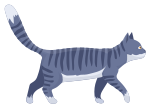
One home for each project — roadmap, issues, code, deploys and monitoring. It all started with Plush, a cat born in our backyard, who has supervised every project from the top of a monitor ever since.

Plush · Chief Project Officer

How it works

The life of a project, told in eight scenes.

One project goes from a name on a screen to something your customers rely on — and never leaves PlushLab on the way. Plush and the street cats we've taken in since will walk you through it.

01A new project

It starts with a name.

Type one and you get a project with everything it needs from day one — a roadmap, issues, docs, meetings and monitoring — at its own address.

02The code

Tie it to the code.

Install the GitHub app and pick the repositories this project uses. From then on, the work and the code keep track of each other.

03The plan

Lay out the roadmap.

Milestones with dates, epics that hold the story, issues in an ordered backlog. Turn on sprints and estimates only when your team wants them.

04The work

Build it, branch by branch.

Mention PL-128 in a branch or pull request and the issue follows along — branch, review, merge. Merged means done, and nobody has to move a card.

05AI integration

Your AI, on the team.

Paste what ChatGPT or Claude wrote — a spec, a table, a whole HTML prototype — and it keeps its shape, safely sandboxed. Or let your assistant work in the project through the API: read issues, add specs, report progress.

06Deploy

Ship it to your own server.

PlushLab builds your Dockerfile, pushes the image and rolls it out on your server — migrations first, the new container checked before the old one stops. One click rolls back. Every deploy knows its commit, its pull request and the issues it closes.
07Logs · traces · metrics · profiling

See inside every request.

Point your OpenTelemetry exporter at the project and logs, traces, metrics and CPU profiles land in one place — with deploys drawn on the charts, so you see what changed. A new error becomes an issue in one click.

08The proof

Sleep well. It's watched.

Healthchecks on everything you run, alerts that don't cry wolf and open an incident when something is really wrong, and a status page your customers can read — so you can actually rest.


GitHub-native

Repositories, branches and pull requests, linked to the work they deliver.

Made for AI-written specs

Paste rich text, tables, code or a whole HTML prototype — it keeps its shape.

API and terminal client

Read and update issues from your editor, live, without opening a browser.

Spec to shipped, without the copy-paste.

One place for the plan, the work and the proof that it runs — for every project your team takes on.

Early access

$0while in beta

Help us look after the cats.

Away from the keyboard, our team takes in street cats — we give them a home, feed them and pay for their vet visits and medicine. If you'd like to help, even a little goes a long way. When we reach $5,000, Plush — born in our backyard, and where it all started — unlocks a free PlushLab plan for everyone.

$0 raisedGoal $5,000
Plush
Donations opening soonOr just join the waitlist →

Donations are voluntary and go to caring for the cats; they don't buy a plan or a service. The free plan comes with the essentials — see the terms.

FAQ

Short answers to fair questions.

The things teams ask before they join, answered in a sentence or two.

01What is PlushLab?

A home for each of your software projects. The roadmap, the issues, the links to your code, the docs and meetings, and the monitoring all live inside the project — so there's one place to look, not five.

02Who is it for?

Small product and engineering teams, studios and freelancers running several client projects at once — anyone tired of keeping a board, a wiki, a repo and an uptime tool in sync by hand.

03Does it work with GitHub?

Yes. Connect repositories to a project and mention an issue key like PL-128 in a branch or pull request — PlushLab links them, and a merge moves the issue to done.

04Can I paste what ChatGPT or Claude wrote?

That's the point. Rich text, tables and code become editable blocks. A full HTML prototype renders exactly as generated, inside a sandbox that can't touch your account. Assistants can also work through the API — read issues, add specs, report progress.

05Can PlushLab deploy my app?

Yes. Connect your server and PlushLab builds your Dockerfile, ships the image and rolls it out with a health check and one-click rollback. Logs, traces, metrics and profiles come back to the same project over standard OpenTelemetry — no extra tools to wire up.

06Do I have to use sprints?

No. Every project starts as a simple board and backlog. Turn sprints and estimates on in the project settings when your team wants them.

07Why all the cats?

Because they're real. Our team takes in street cats and looks after them — a home, food, vet visits and medicine. Donations go to their care, and if they reach the goal, Plush — the cat born in our backyard, where it all started — unlocks a free PlushLab plan for everyone. Helping is entirely optional.

08When can I get in?

We're opening PlushLab to teams in small waves. Join the waitlist and confirm your email; we'll write once, when your invite is ready.

Your next project deserves a better home.

Join the waitlist. We open in small waves and write once, when your invite is ready.